Nº 3 Game library, unofficial
Legendlog
Your game libraries, in one place.
- Status
- In development; Not released yet
- Platforms
- Android, iOS; iPhone and iPad
- Connects to
- Steam, PlayStation, Xbox, Epic Games, EA app, Ubisoft Connect, Battle.net, GOG, Nintendo, itch.io, RetroAchievements
- Languages
- English; The app is English only
- Your data
- On your device
- Price
- Free
- Licence
- AGPL-3.0-or-later; Source code on GitLab
Legendlog is an unofficial game library app for Android and iOS (iPhone and iPad), built with Flutter. It’s an independent project, not affiliated with, endorsed by or sponsored by Valve, Sony, Microsoft, Epic Games, Electronic Arts, Ubisoft, Blizzard, GOG, Nintendo, itch.io, RetroAchievements or Amazon. The names of these companies and their services are used only to say which services Legendlog connects to.
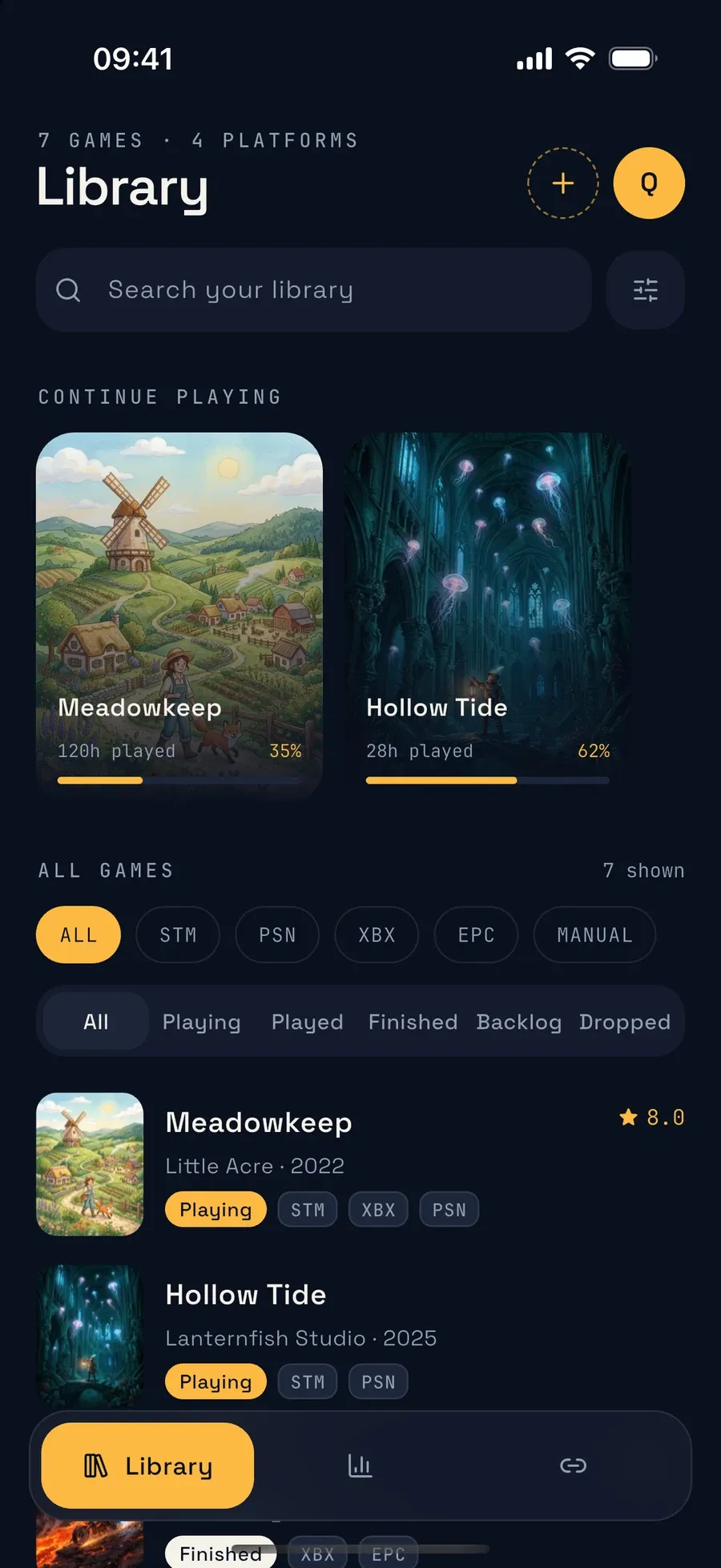
It’s a development version. Legendlog is built to bring your game libraries from Steam, PlayStation, Xbox, Epic Games, the EA app, Ubisoft Connect, Battle.net, GOG, Nintendo, itch.io and RetroAchievements into one list, with a status, story progress, a rating and notes for each game, and you can add discs and cartridges by hand. To try it before connecting anything, load the built-in sample library of made-up games. Legendlog tries to import only games and leaves out apps, demos, soundtracks, tools and add-ons where a store lets it tell them apart. It doesn’t sync your accounts in the background: it syncs them when you open it or come back to it, if the last sync is more than six hours old, and whenever you ask it to. A Wishlist tab follows your Steam, GOG and Epic Games wishlists with Steam and GOG prices, and a Free tab lists the games that Epic, GOG, Steam and Prime Gaming give away right now. If you allow notifications, Legendlog can tell you about a price drop or a free game while it’s closed; it never asks for that permission when it starts. The app is English only.
A look inside
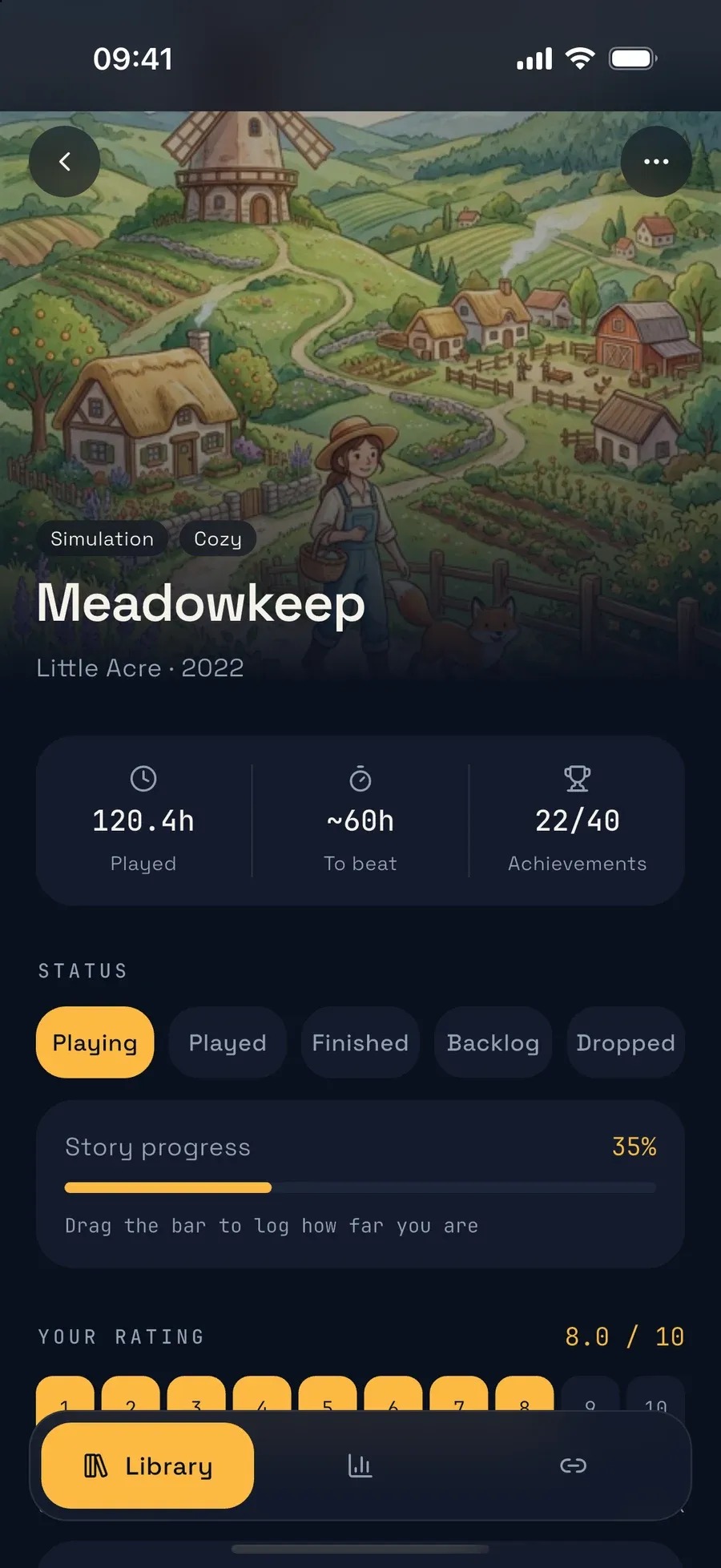
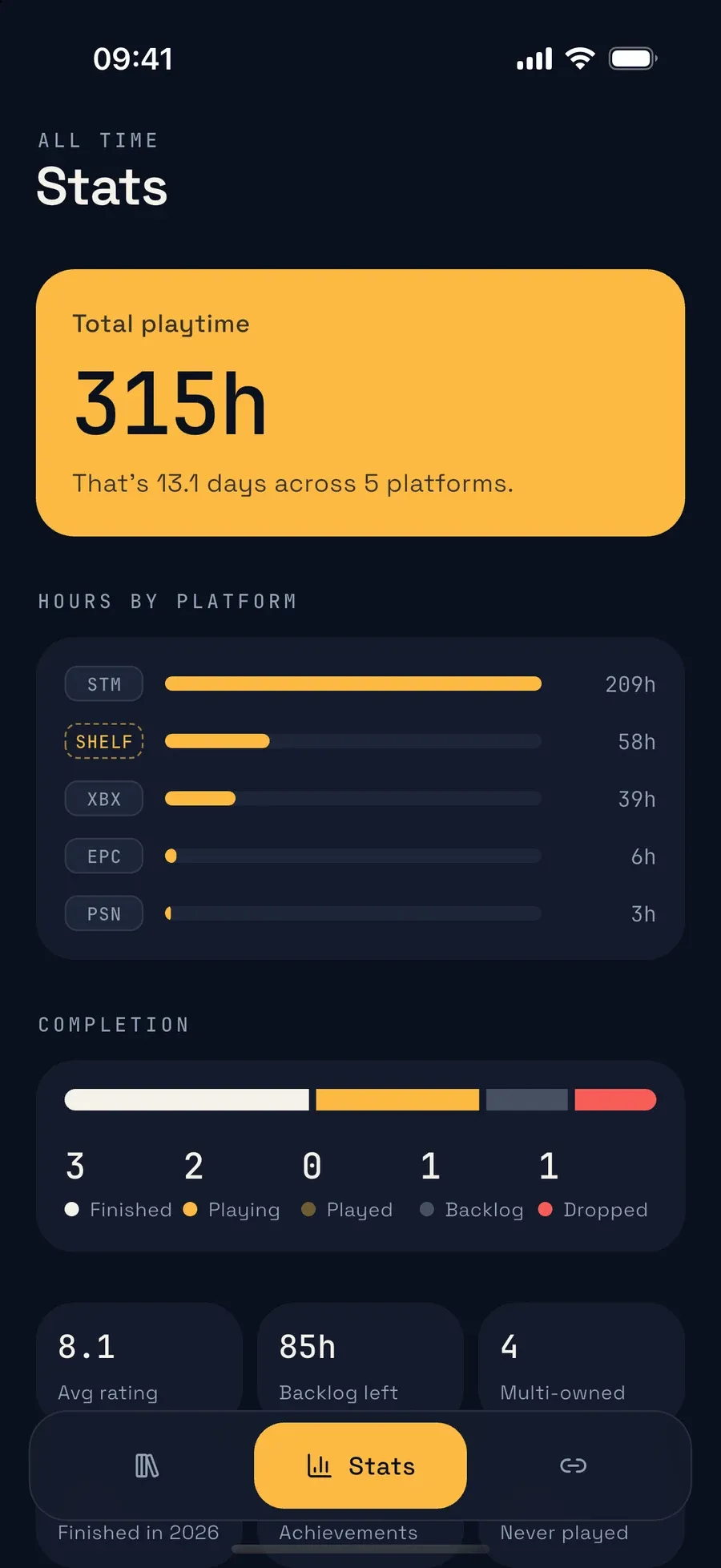
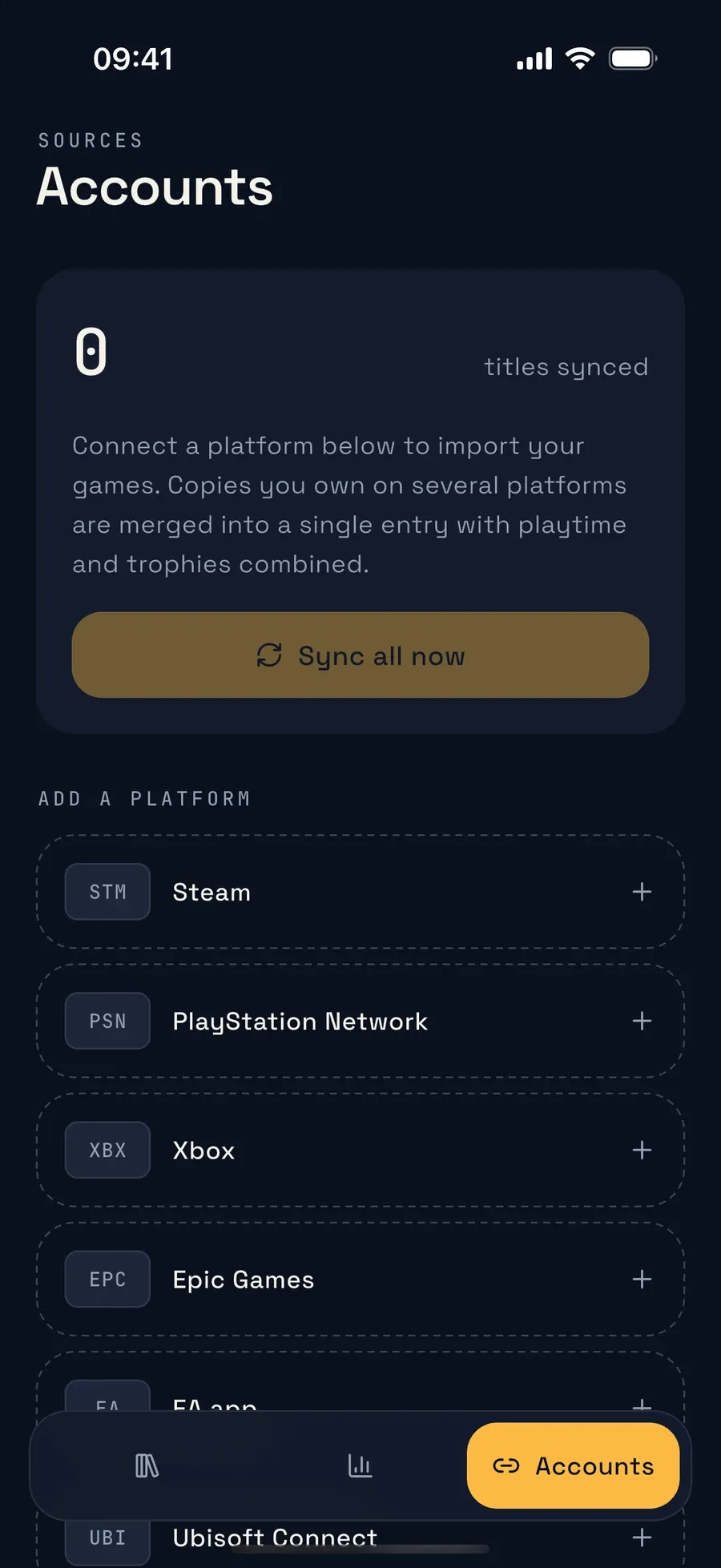
Screenshots of the built-in sample library: made-up games with AI-generated covers.
1 Library 2 One game 3 Stats 4 Accounts
Features
What it does
Eleven platforms, one library
Connect Steam, PlayStation, Xbox, Epic Games, the EA app, Ubisoft Connect, Battle.net, GOG, Nintendo, itch.io and RetroAchievements, and Legendlog is built to bring your games from each into one list. Five connectors are marked beta in the app: Xbox, the EA app, Ubisoft Connect, Battle.net and Nintendo. Most connectors use non-public interfaces, the same ones that open-source tools use. Such interfaces can stop working when a platform changes them, and using them may not be covered by a platform’s terms. Steam, itch.io and RetroAchievements are read through their official APIs with your own key. Legendlog only reads your library; it doesn’t buy or post anything.
One entry per game
Copies of the same game from different stores are merged into one entry when their titles match, ignoring capitalisation, accents, punctuation, trademark signs and words such as “Deluxe Edition” or “(PS4)”. Each store’s copy keeps its own playtime and achievements. With your own IGDB keys, Legendlog can also recognise the same game under different titles and merge the entries; you can split a copy off again.
Status, progress, rating and notes
Give each game a status (Playing, Played, Finished, Backlog or Dropped), log how far you are in the story, rate it from 1 to 10, set the date you finished and write notes. A sync never overwrites your rating, notes, progress, finish date or a status you picked yourself. Until you pick a status, Legendlog guesses one: Finished if every achievement is unlocked, Playing if you played in the last two weeks, Played if you played earlier, otherwise Backlog.
Discs, cartridges and old copies
Add by hand what a sync won’t bring in: discs, cartridges and old store copies. Choose the system, the format (disc, cartridge, digital or box set), the region and the languages of your copy, and add the edition and an estimate of your hours played if you like. If you add a title you already have, the copy is added to that game.
Details from IGDB and Steam
Optional: add your own free IGDB keys, from a Twitch developer account, to search the catalogue when you add a game and to fill in covers, developer, year, genres and time to beat. IGDB gets the titles of your games and their Steam or GOG IDs; your notes, ratings and playtime are not sent. Without IGDB, Steam games still get developer, year and genres from Steam’s public store. A game’s page can also show IGDB’s critic score (with your IGDB keys) and Steam’s verdict on the game’s user reviews, such as “Very Positive”; Steam’s comes from its public store without an account, and both are refreshed at most once a week.
Wishlist, free games and alerts
The Wishlist tab lists the games on your Steam, GOG and Epic Games wishlists, read when those accounts sync, plus games you add yourself, with Steam and GOG prices for your device’s region. Epic’s wishlist is marked beta in the app, and Nintendo wishlists aren’t read. The Free tab lists the games that Epic, GOG, Steam and Prime Gaming give away right now. Legendlog claims nothing for you: “Claim” opens the store’s page in an in-app browser, where you sign in and claim the game yourself. Prices and free games come from the stores’ public lists without your accounts, and the free games list can be switched off in Settings. If you allow notifications, the app checks about every six hours while it’s closed and can tell you about a price drop on a wishlist game, a new free game or one that ends within a day. The check runs on your device, the system decides when, and Legendlog has no server to send notifications from.
Stats, themes and backups
The stats screen shows your total playtime, hours per platform, how your games split across Playing, Played, Finished, Backlog and Dropped, your average rating, games finished this year and your top-rated games. Legendlog comes in dark and light themes or follows your device’s setting, and on a wide screen, such as a tablet held sideways, the library and a game’s details sit side by side. Export your library as a file with your games, wishlist, ratings, notes, account names and settings, but no passwords, tokens or keys; importing replaces the library on that device and keeps the previous one as a backup. The app also keeps up to ten daily backups on the device.
Local
Your library stays on your device.
Legendlog has no server and no account of its own. It talks to the services you connect, to the public stores of Steam, GOG, Epic Games and Amazon Prime Gaming for prices, reviews and free games, to IGDB and Twitch if you add your own keys, and to the platforms’ image servers for covers. Those store requests need no account and carry your device’s country and the store IDs of the games they are about (the title, for a wishlist game without an ID). The free games list is on by default and can be switched off in Settings. If you allow notifications, a check runs on your device about every six hours while the app is closed; it asks only for those prices and lists and reads your library without changing it, and Legendlog has no push server. It has no analytics, ads, crash reporting or update checks. You type your password only on each platform’s own sign-in page, shown in an in-app browser, and Legendlog neither stores nor reads it; keys and tokens are kept in the system’s secure storage. If you back up your device, the library may be part of that backup.
- Account with me
- None
- Analytics
- None
- Ads
- None
- Crash reporting
- None
Availability
Not released yet
Legendlog is in development and not released. There’s no store listing and no download yet, and no date. This page describes the current development version and may change before a release. Legendlog is free, and its source code is public on GitLab under the AGPL-3.0-or-later with an additional permission for app stores; the name and the icon aren’t covered by the licence.
Support
Support & contact
Questions and ideas are welcome by email.
coderoftime@gmail.comPlease never send passwords, API keys, tokens or other secrets by email.